Classical — Quasar & Aurora
Cosmic or green glass panels, neon KPI accents, and boxed detail sections. Each family includes a dark and a light variant.
 RLMSRegulatory Lifecycle Management System
Sign in
RLMSRegulatory Lifecycle Management System
Sign in
MOSCODE · RLMS Version 5
Expiration doesn't send a reminder. RLMS does.
This page is a public tour of the application. When your company has an account, use Sign in — your portfolio data stays behind login.
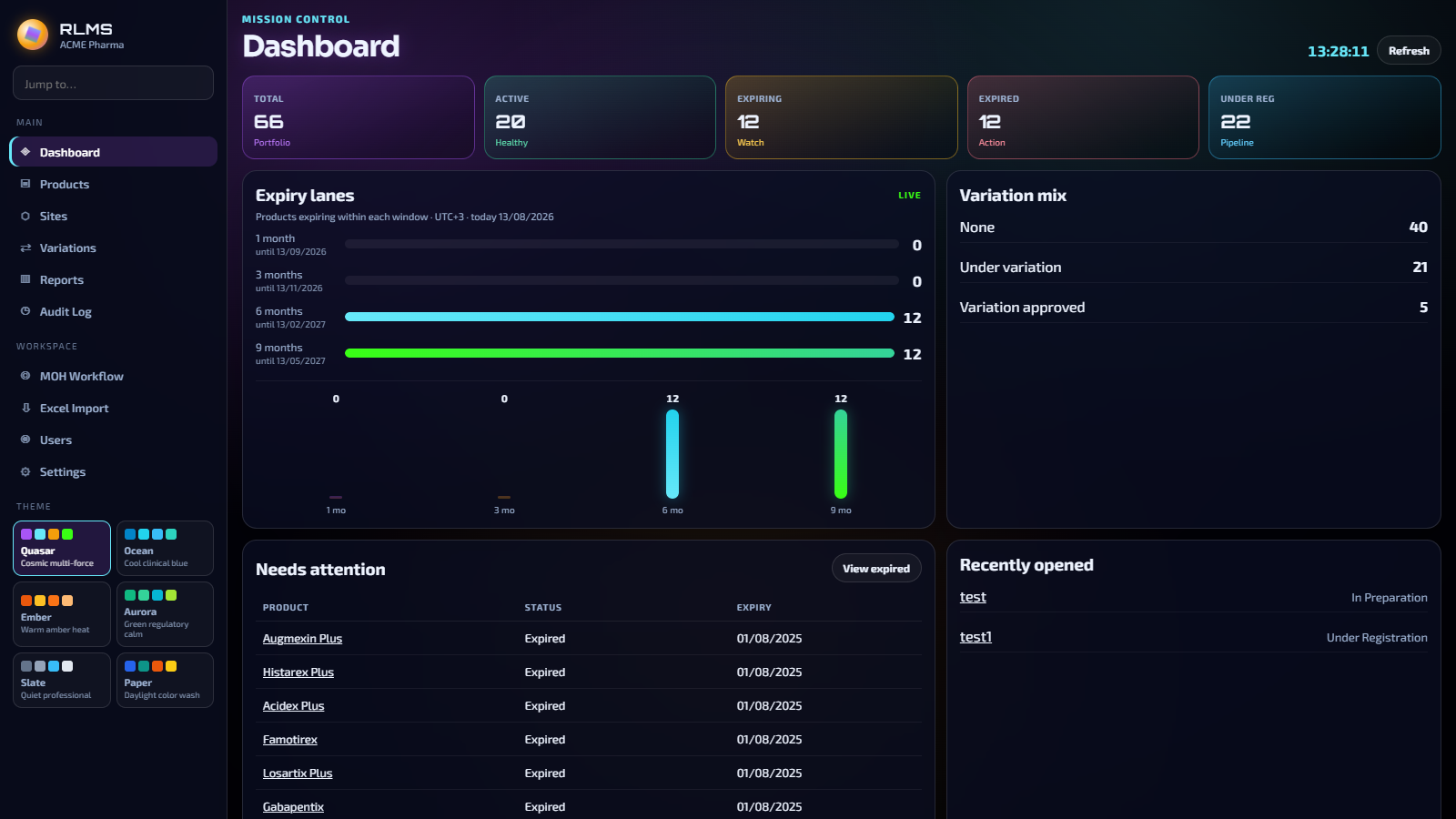
Select a module to open a full-size screenshot with an explanation. Previews include the desktop workspace and the upgraded phone Home / Search screens.
Staff pick a look in the sidebar. Classical themes use glass panels; Ocean and Ocean Light use a clinical flat layout on most pages (dashboard panels stay boxed in both Ocean themes).
Cosmic or green glass panels, neon KPI accents, and boxed detail sections. Each family includes a dark and a light variant.
Cool clinical blue, open list pages, hairline navigation, and catalog-style product windows. Ocean Light adds a bright wash with a gradient sidebar.
MOSCODE does not publish usernames or passwords on this site. Each licensed company receives its own activation code.
MOSCODE issues an activation code with a seat limit and expiry date. The code creates new accounts and resets forgotten passwords — it is never shown on this public page.
Each person chooses a username, display name, and password (8+ characters with a letter and a number). Every user has full access; the audit log records who changed what.
Use the Sign in button to open the RLMS application. After 15 minutes idle the session ends. An expired company license stays open read-only — it does not lock staff out entirely.